Built with Claude — The Lists mobile app

A lists app built to be reused, not thrown away.

The Lists is my first vibe-coding experiment — a mobile app I designed and built end to end with Claude Code to solve my own problem: every to-do app I tried could check a list off, but none could reset and reuse it. So I built the one I always wanted.
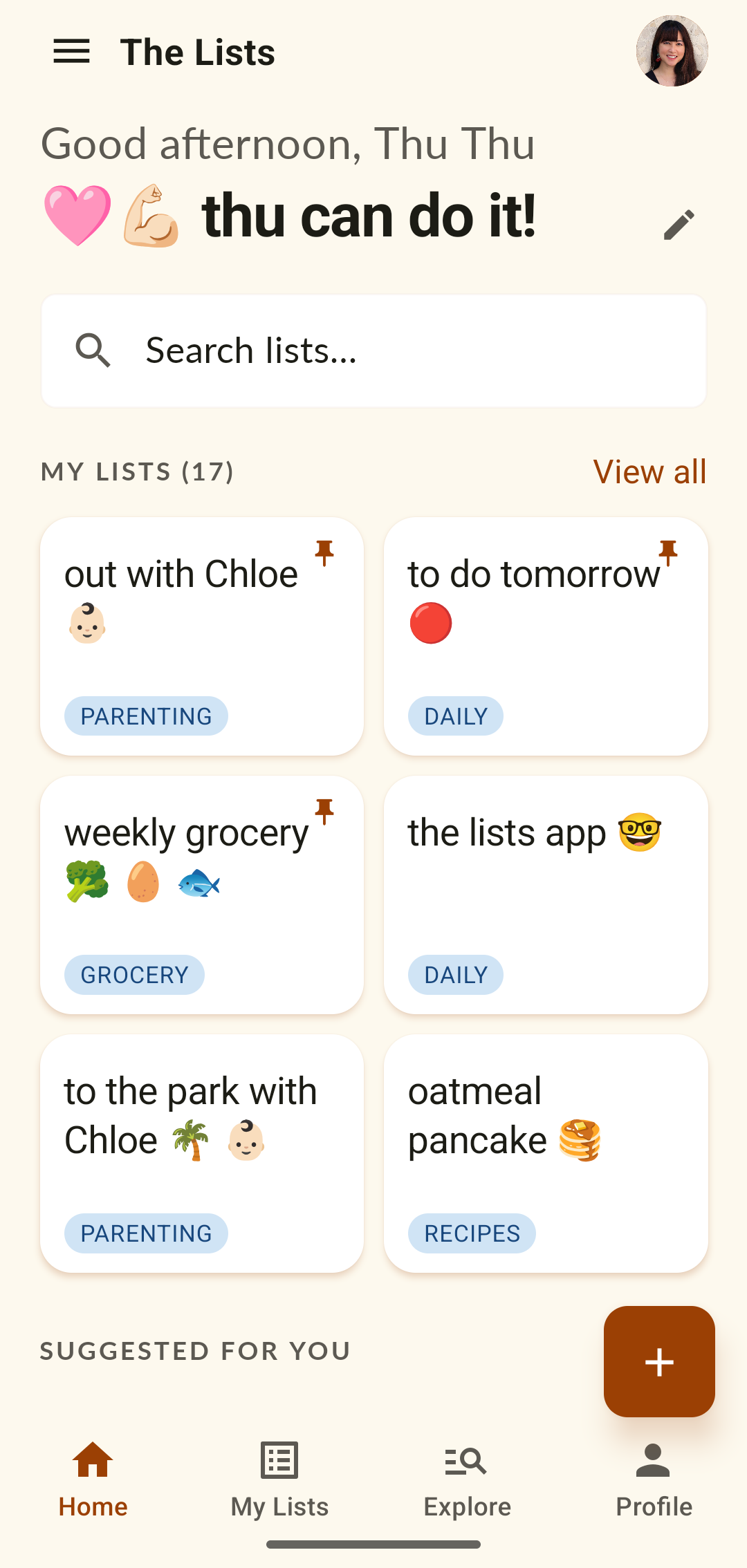
The Lists home screen.
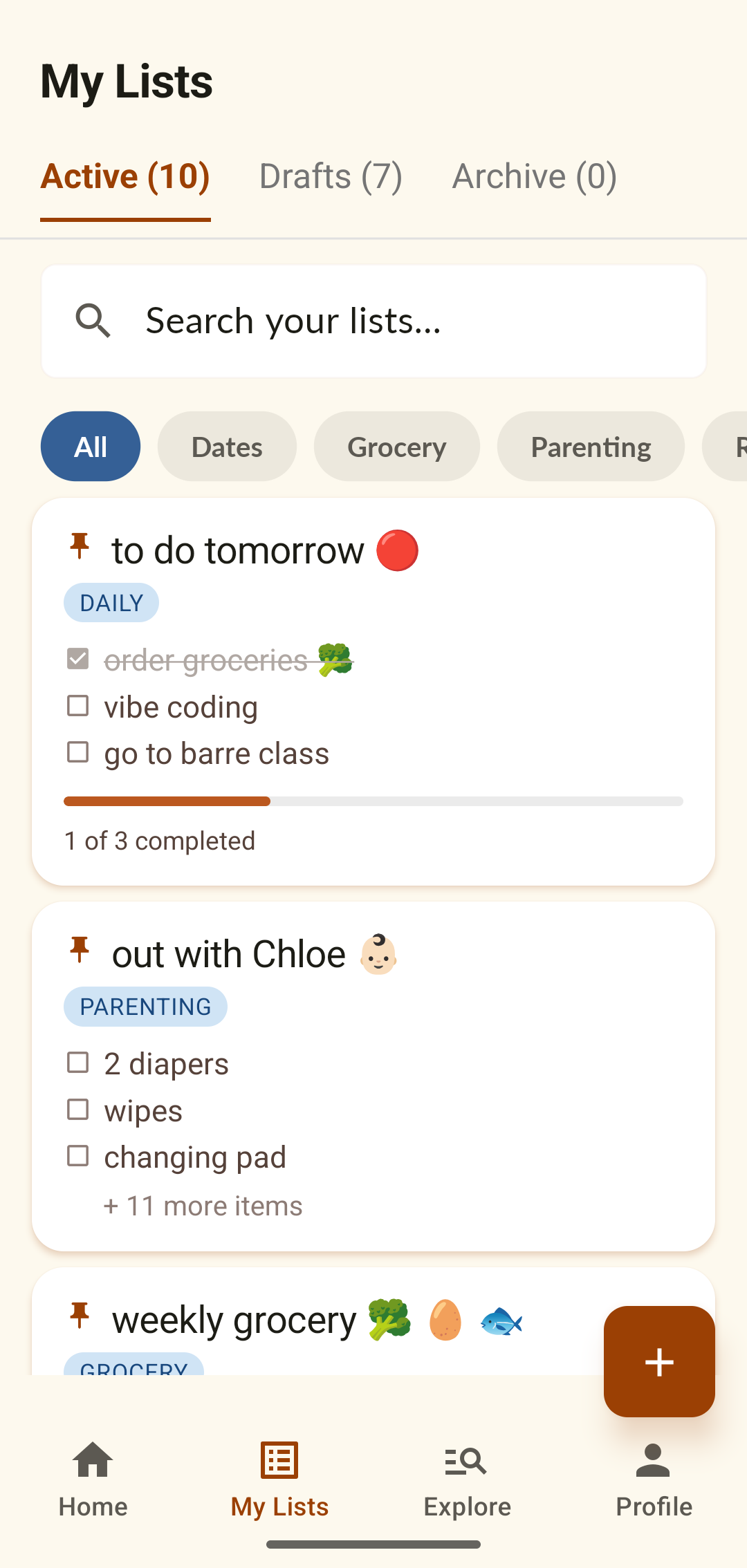
My Lists overview.
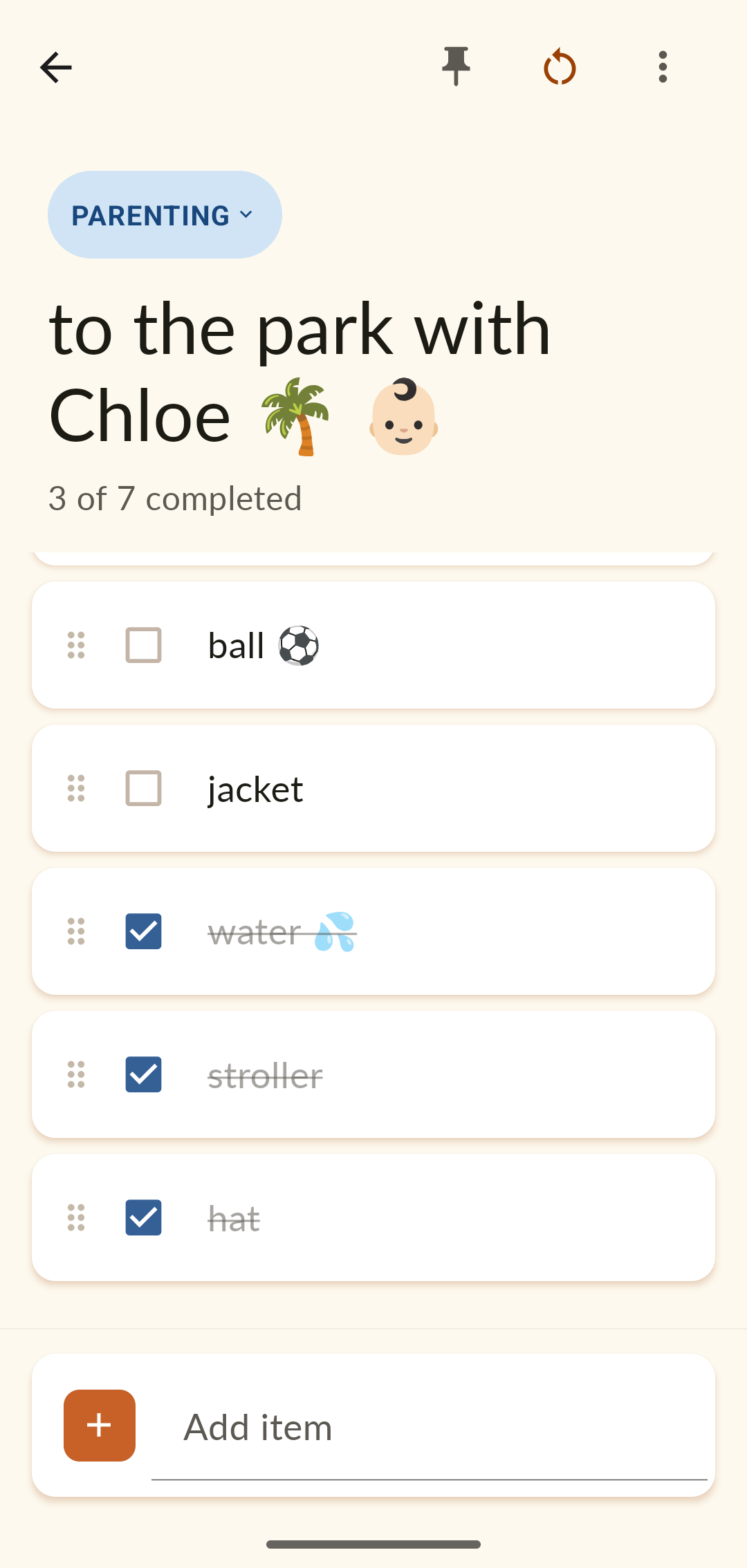
A reusable checklist mid-use.
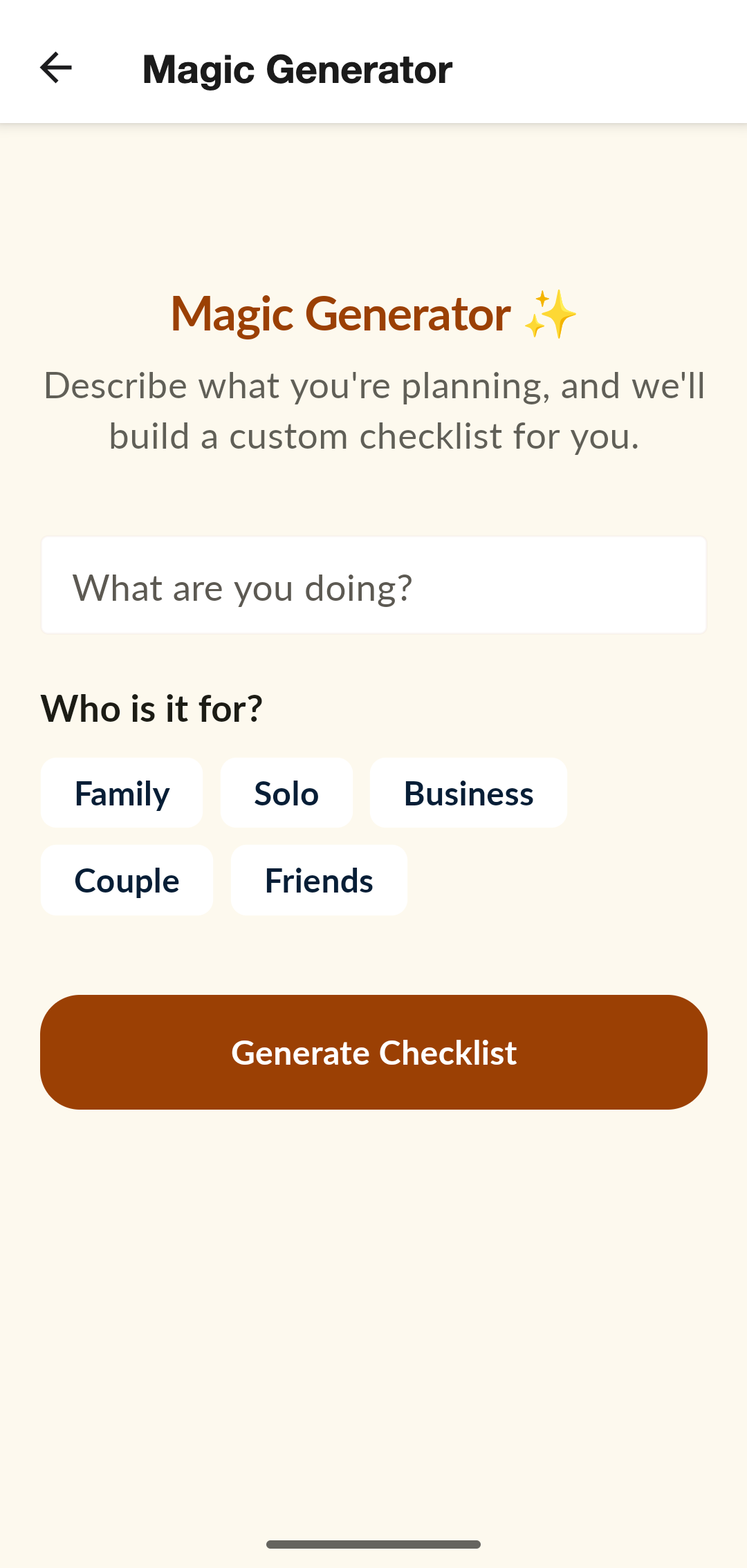
The Magic Generator.
Role
Designer & builder
Solo, end to end
Year
2026
In daily use
Built with
Claude Code
Design + build loop
Surface
Mobile
iOS & Android
Scope
Product UX
Visual design
Build & ship

A list is most useful the second time you need it.

Every checklist app I tried optimized for the same moment: type a list, check it off, watch it disappear. But the lists I actually repeat never went away — they just had to be rebuilt from scratch each time. When I had my daughter, I prepared the same bag of items every time we went out. The same went for recipes, the weekly grocery run, a day at the park.

I'd always wanted an app that could simply reset and reuse a list. So I started building one with AI — a way to put my design skills and AI's capabilities together and turn the idea into something I could really use every day.

01
Reusable lists
Create, check off, reset, repeat. One list serves every weekend trip, every grocery run.
02
Templates
Curated, ready-made lists across parenting, travel, relationships, and lifestyle.
03
Magic Lists
Describe a situation and the app generates a complete checklist for it. (Premium.)

One warm home for every kind of list.

Home greets you by name and shows your lists, pinned favorites, and quick ways to start a new one. Everything sits in one calm, consistent look — a cream background, one warm accent, generous type — so the app feels personal rather than purely functional. Lists are organized by category, searchable, and a tap away from the full library.

Because I made this app for myself, its look and feel follows my own taste and personal brand — so you'll notice the same design language running through both my portfolio and the Lists app.
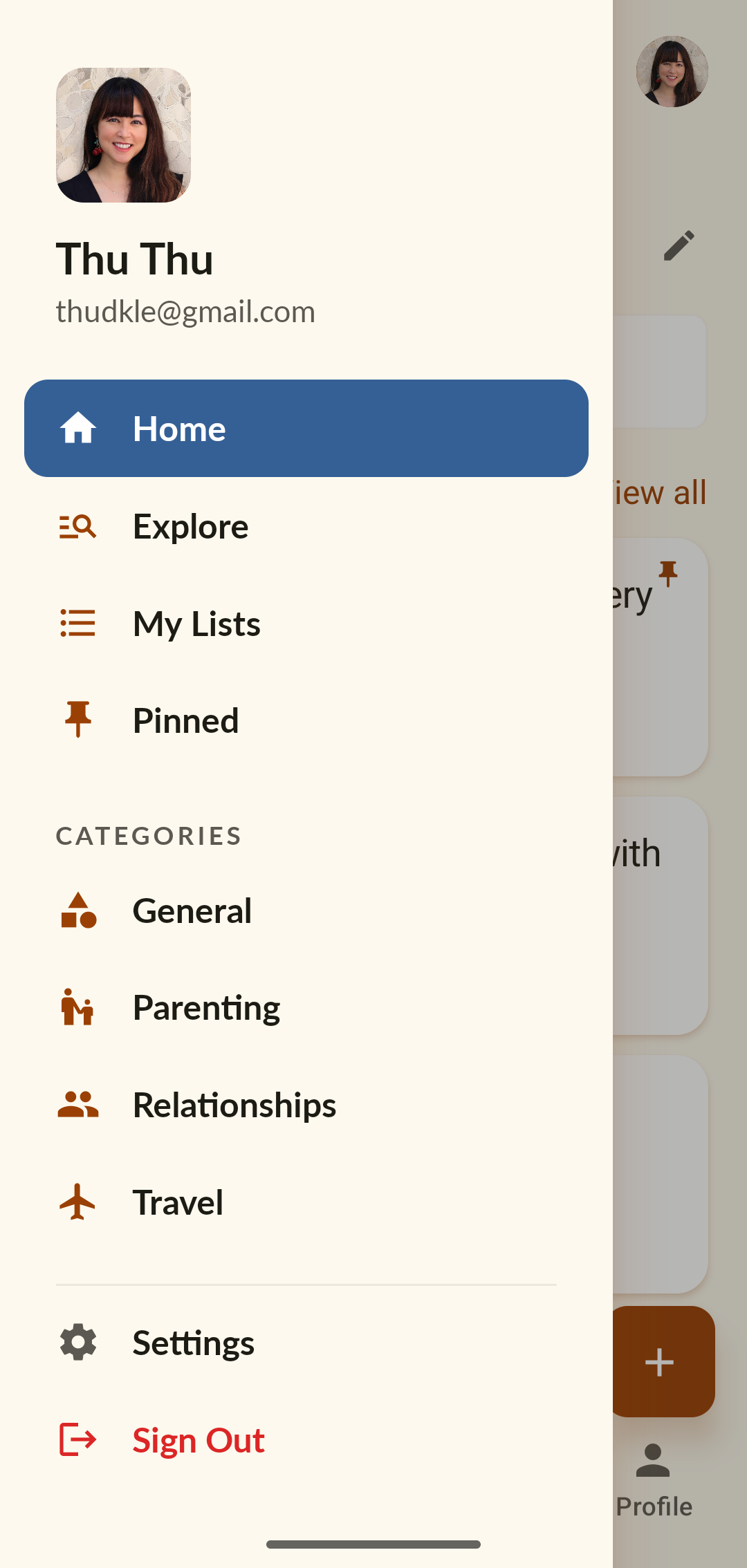
The Lists home — greeting, search, and a grid of saved lists.
Navigation drawer — Home, Explore, My Lists, Pinned, and categories.
My Lists — Active, Drafts, and Archive tabs with category filters.
FIG. 01Home · navigation · my lists — one personal system organized by category, pin, and status.

Check it off. Reset it. Use it again.

The core interaction. Items can be dragged to reorder and checked off as you go, and each list tracks its own progress — 3 of 7 completed. When the trip or the day is over, one tap on reset clears every checkbox and the list is ready for next time. Pin the ones you reach for most so they stay at the top.
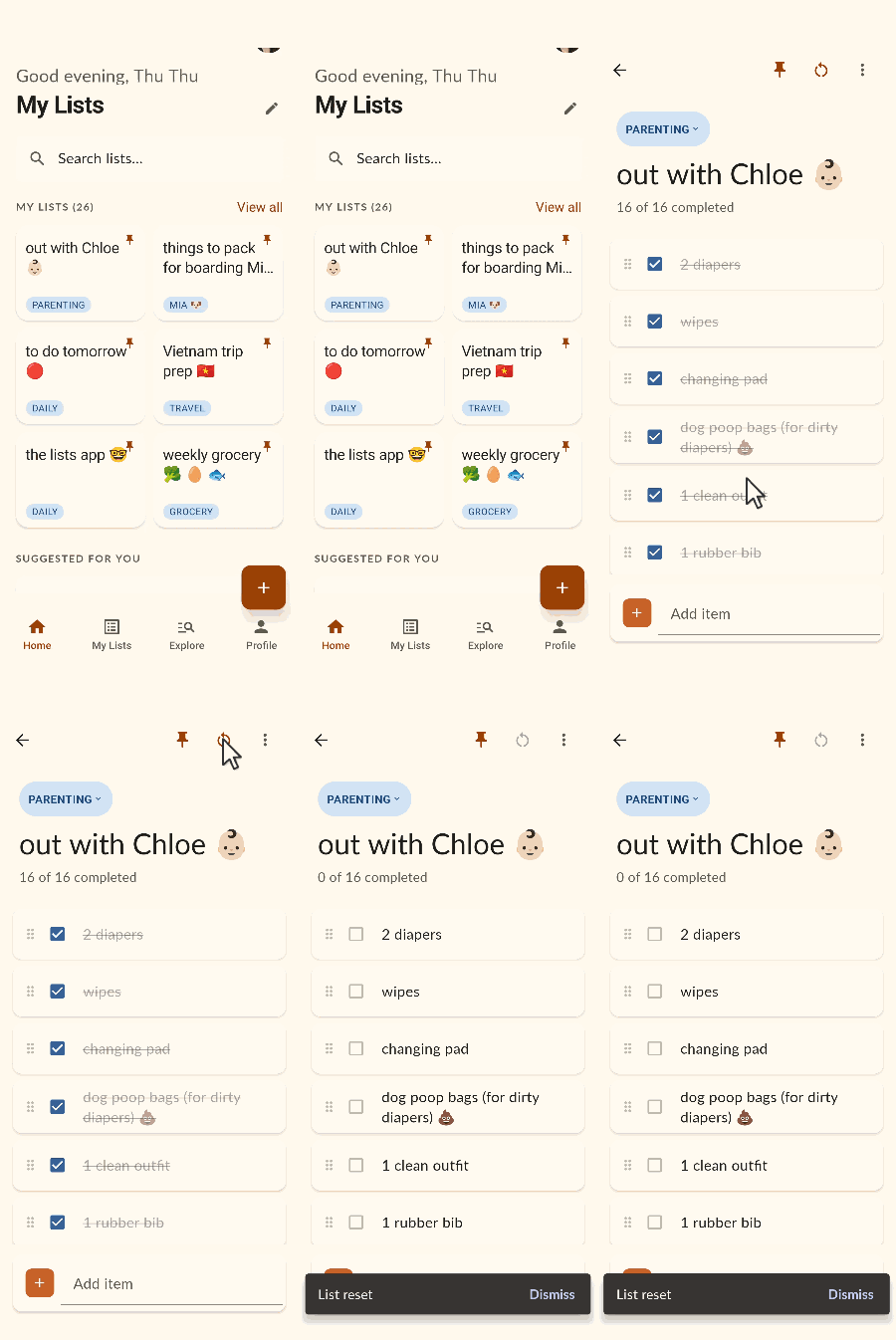
The 'out with Chloe' diaper-bag list, fully checked off at 16 of 16, then reset to zero in a single tap — ready to reuse next time.
FIG. 02Reuse in action — a completed list, checked off, then reset to zero with one tap.

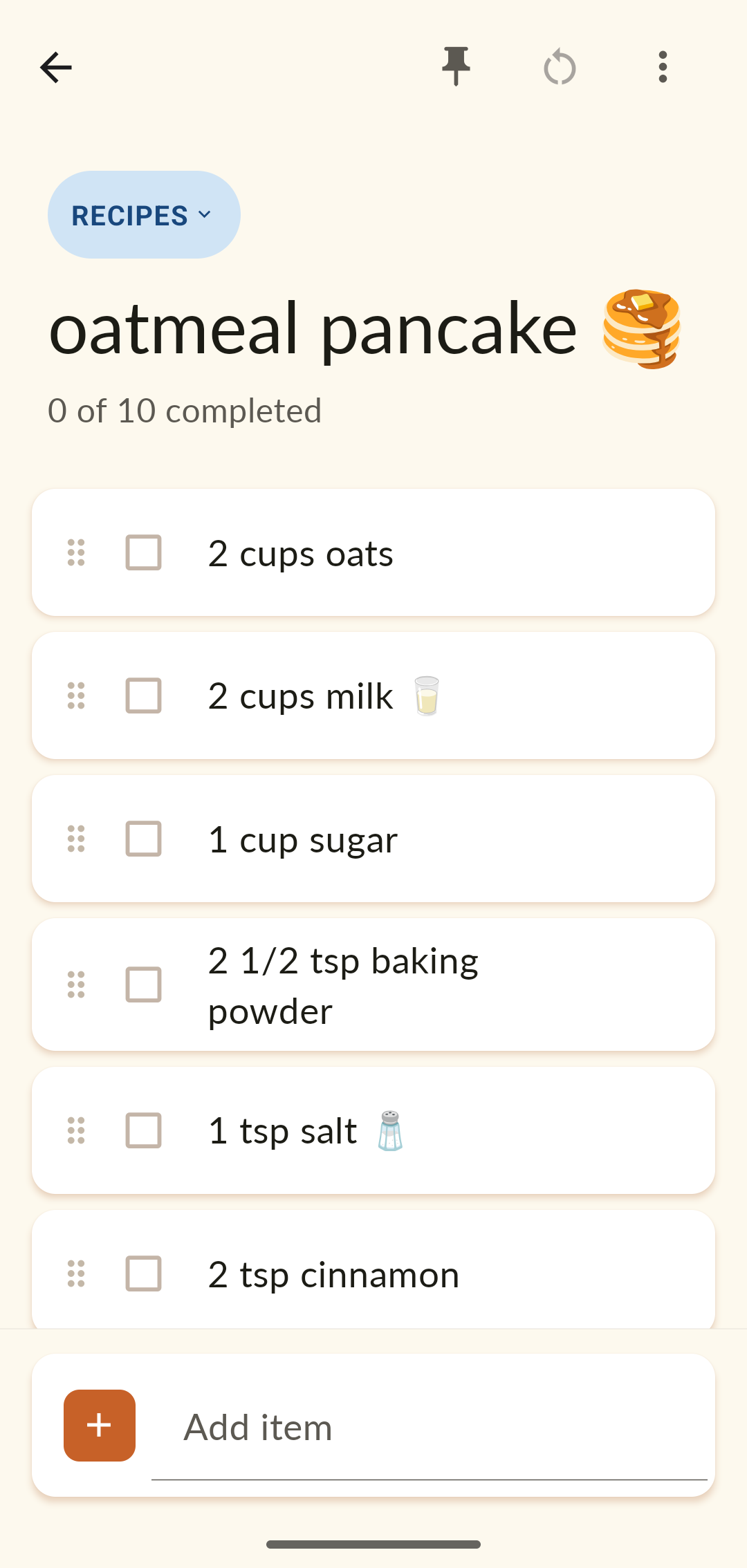
The same model carries any kind of list — a grocery week, a recipe, a packing run, a day at the park. Each keeps its category, its emoji, and its place in your library.
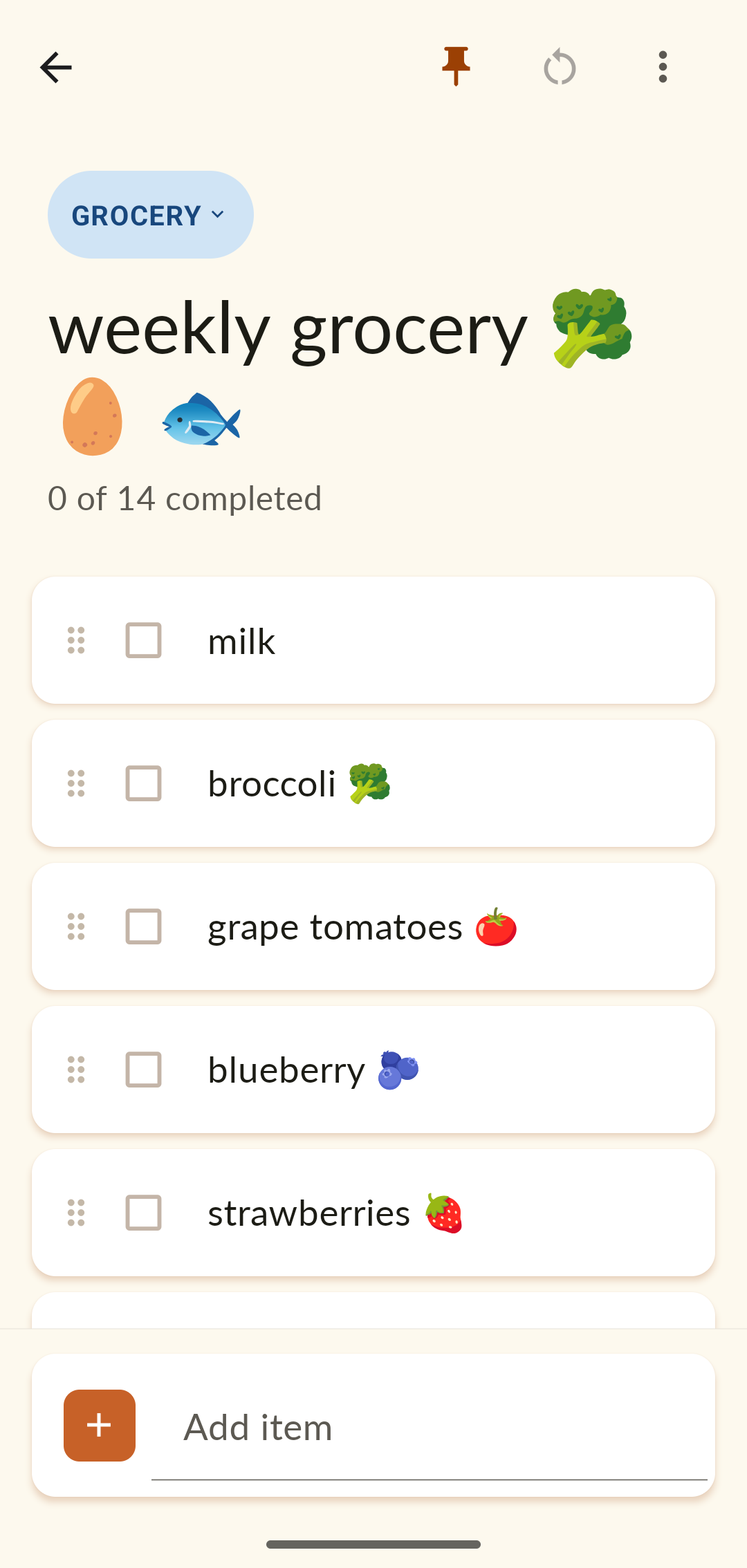
Weekly grocery list — 14 produce and pantry items.
Oatmeal pancake recipe list with ingredients and quantities.
FIG. 03Grocery · recipe — one reusable model, many everyday jobs.

Start from a template, not a blank screen.

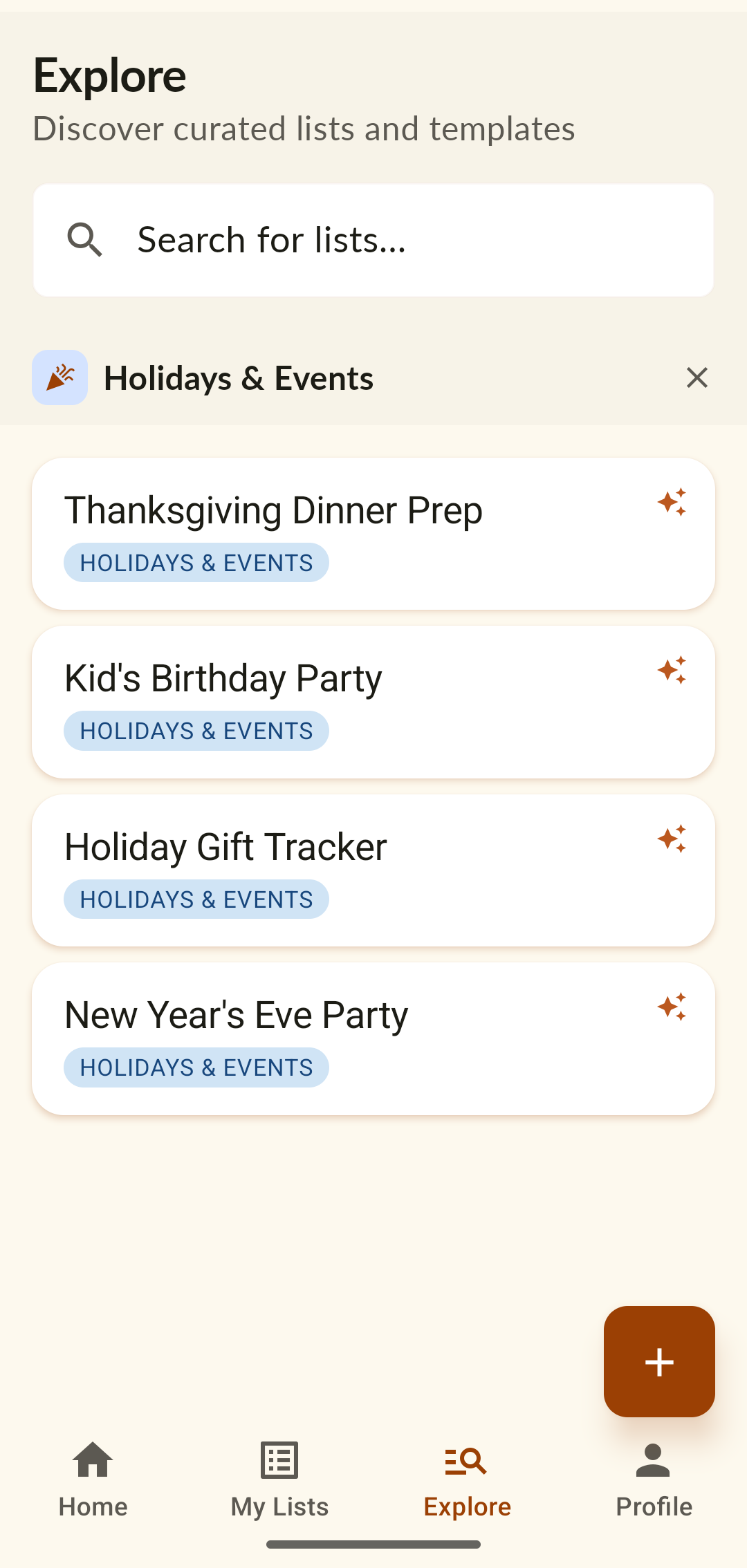
Explore is a curated library of ready-made lists organized by category — parenting, travel, relationships, lifestyle, food, holidays & events. Going out with baby, flying with kids, ski-trip packing, date night, house moving, birthday planning. Save a template, customize it to your life, and it becomes one of your reusable lists.
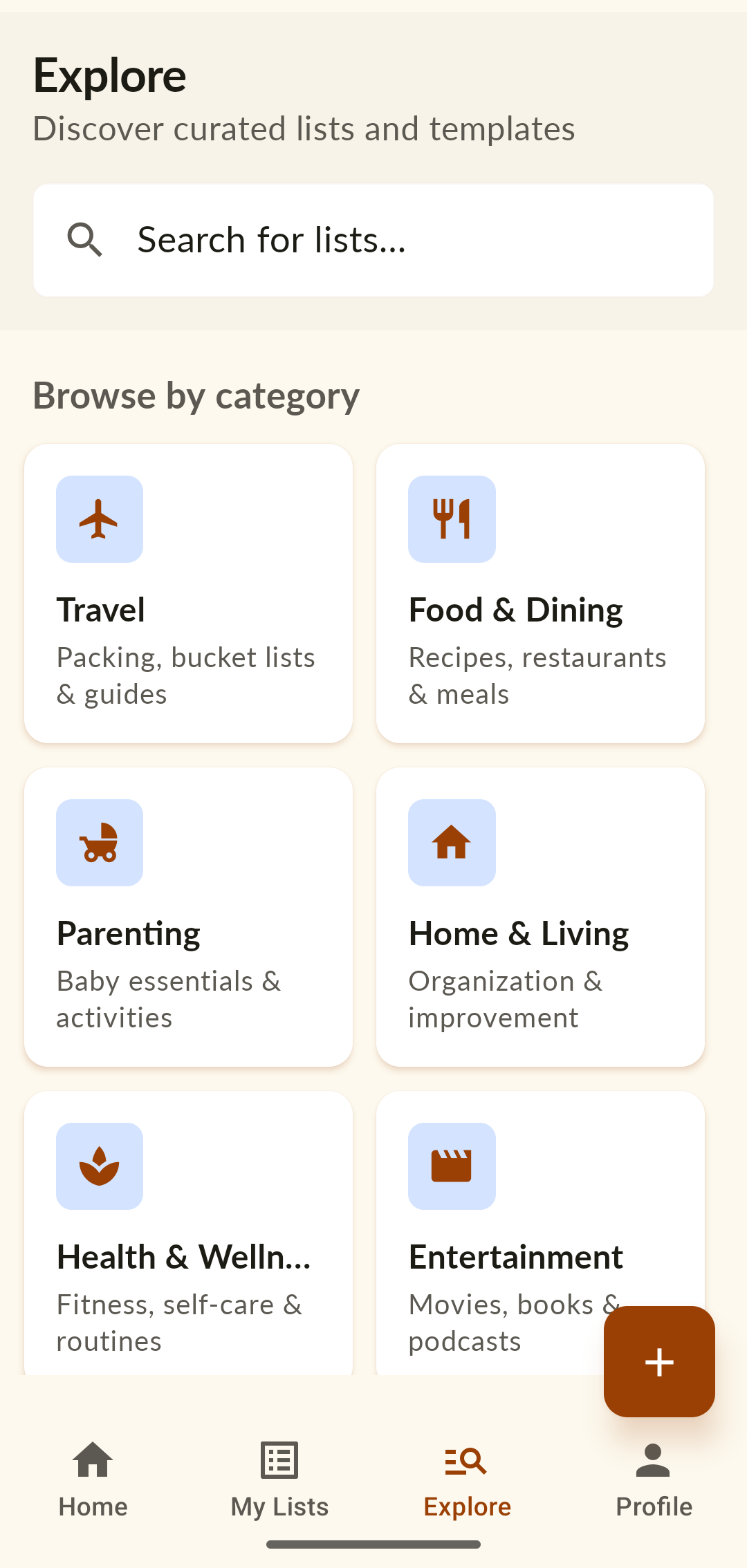
Explore — browse templates by category: Travel, Food & Dining, Parenting, Home & Living.
Holidays & Events templates: Thanksgiving Dinner Prep, Kid's Birthday Party, Holiday Gift Tracker.
FIG. 04Explore library — curated templates for every occasion, ready to save and reuse.

Describe the situation. Get the checklist.

Magic Lists is the premium, AI-powered part. Describe what you're planning — “flying from San Francisco to Vietnam with a toddler” — pick who it's for, and the app builds a complete, sensible checklist in seconds. Travel prep, event planning, parenting situations, packing, life events. It's the fastest way to go from a vague plan to a list you can act on.
Magic Generator — describe what you're planning and who it's for, then generate a checklist.
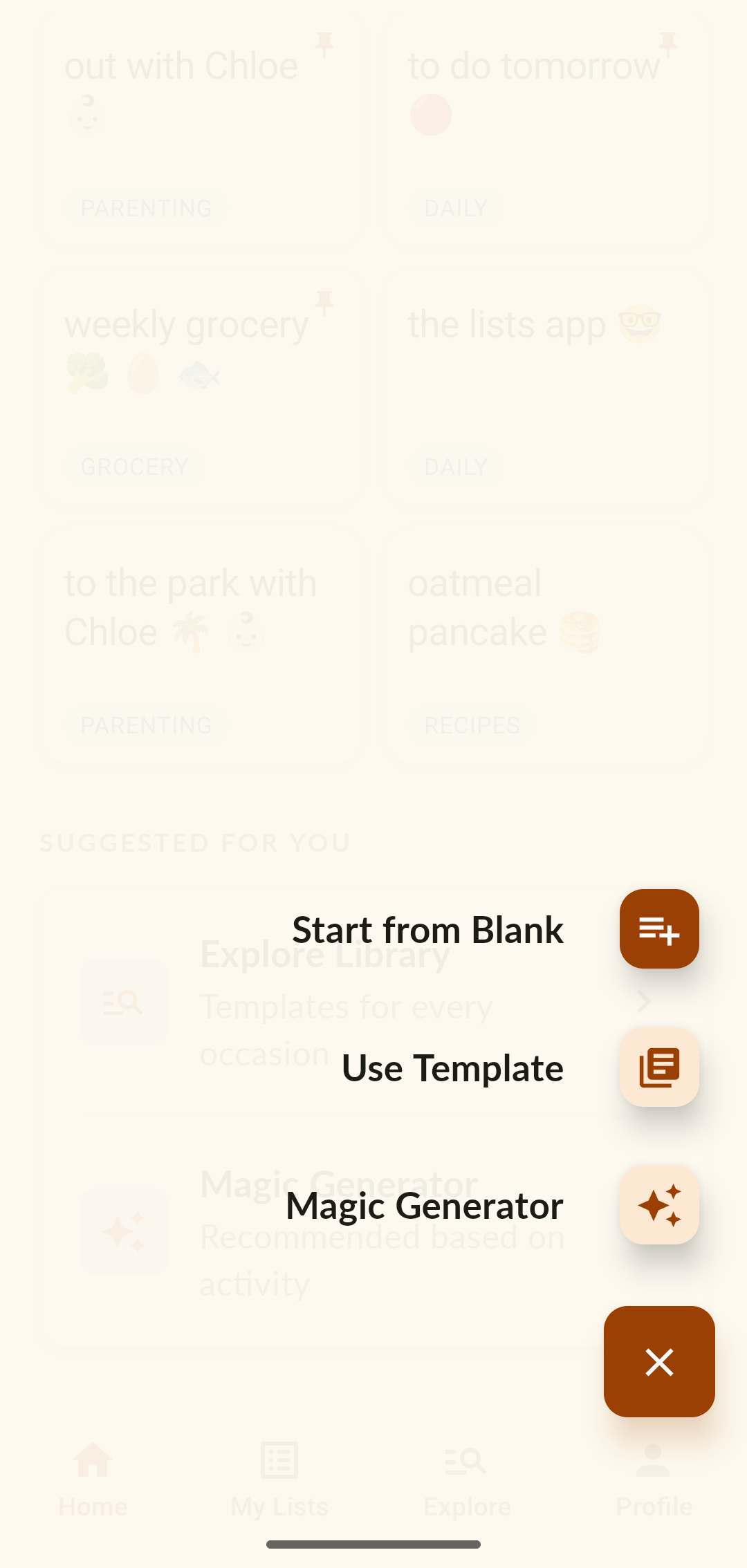
The create menu — Start from Blank, Use a Template, or the Magic Generator.
FIG. 05Three ways to start — blank, a template, or a Magic List generated from a sentence.

Two experiments in vibe coding.

I ran the build as a deliberate side-by-side test — same app idea, two very different ways of working with AI. The results made the case for treating AI like a teammate you brief, not a tool you prompt one task at a time.

Experiment 01 — Just prompt it
Let the AI build everything on its own
A single, simple prompt describing the app, and let the model make every product and visual decision from there.
Result: a generic app full of AI slop. The UI drifted from screen to screen and never felt like one product.
Experiment 02 — Brief it properly
A defined plan: brand toolkit, voice & tone, refined prompts
I gave the AI a real brief — a brand toolkit, voice and tone, and prompts I refined with ChatGPT first. I used my own personal brand, so you'll see the resemblance to this portfolio.
Result: a much stronger app — a consistent identity and features that are far more intuitive.
Experiment 01 · Just prompt it A single prompt AI makes every product decision Generic app — UI drifts screen to screen Experiment 02 · Brief it properly Brand toolkit Voice & tone Refined prompts AI builds to the brief One consistent, intuitive product
FIG.Same idea, two ways of working — a single prompt vs. a real brief.

I also switched tools partway through. I started in Gemini on the Antigravity IDE — Claude wasn't the obvious choice yet — then moved to Claude Code, which was much better at building the product end to end and followed my instructions closely.

Start
Gemini · Antigravity
First builds, before Claude was the obvious pick.
Method
Brand-led briefs
Toolkit, voice & tone, and ChatGPT-refined prompts.
Ship
Claude Code
End-to-end build that followed the brief faithfully.
Outcome

The Lists is my own product — designed, built, and used every day, and shipped end to end with Claude Code. The whole process in my own hands: framing the problem, structuring it, designing the interactions and the look, and building it.
3
Ways to start — blank, template, or magic
6
Template categories, curated
1
Designer & builder, end to end
More projects
All work →